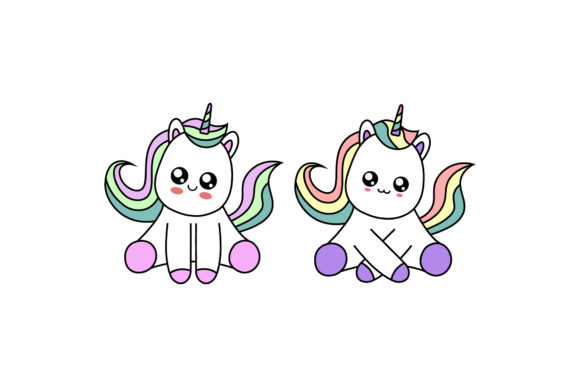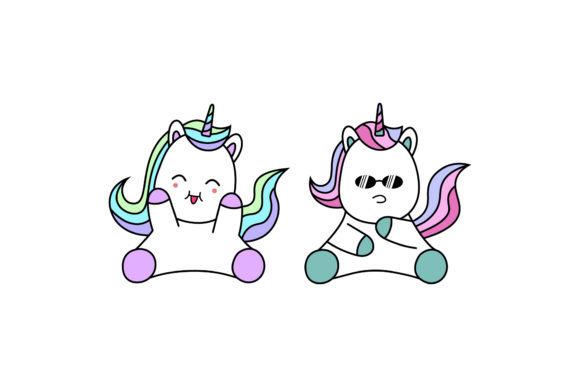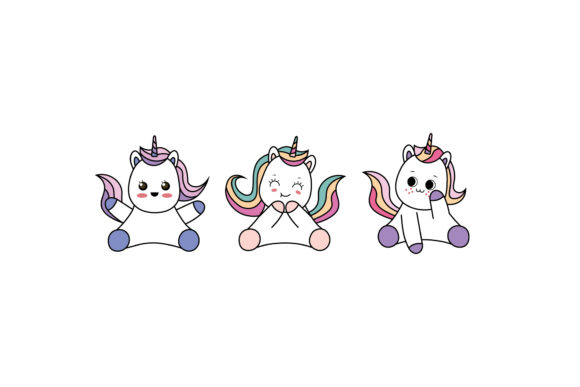
Unicorn Kawaii Graphics: Illustrations Review
First Impressions for a Children’s Boutique Rebrand
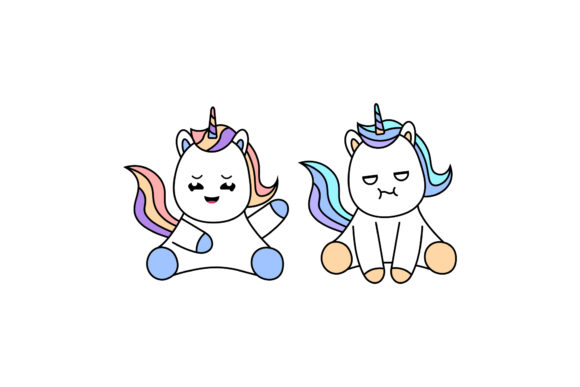
When evaluating the Unicorn Kawaii Illustrations Designs for a recent client project, my primary focus was assessing whether this graphic design asset could transition from a generic clipart feel to a polished component of a cohesive brand identity. The client, a handmade children’s accessory business, needed visuals that felt whimsical yet professional enough for packaging design and social media graphics. Upon opening the files, the immediate impression is one of softness and approachability. The kawaii aesthetic relies heavily on rounded forms, expressive but simple facial features, and pastel color palettes. This specific collection captures that mood effectively without veering into chaotic or overly complex territory, which is often the downfall of similar assets found in a creative marketplace.
For a designer, the initial assessment isn't just about cuteness; it is about utility. These illustrations present a clean silhouette that suggests they will reproduce well across various media. The visual weight is balanced, making them suitable candidates for both digital screens and physical printable design applications. However, as with any digital product, the true test lies in how these elements interact with typography and layout grids in a real-world commercial design scenario.
Technical Specifications and File Integrity
Before integrating any asset into a client workflow, I must verify technical specs. This package includes six digital files with a canvas size of 1920px x 1280px. For web design and marketing visuals, this resolution is excellent, providing crisp edges for hero banners, blog headers, and Instagram posts. The inclusion of an AI (Adobe Illustrator) file is the most critical feature for professional use. Unlike raster-only bundles, having vector access allows me to scale these graphics infinitely for large-format printing or resize them down for subtle texture work without pixelation.
I also inspected the layer structure within the AI file. A well-organized design bundle should have grouped elements and named layers. In this case, the ability to isolate individual unicorns or decorative elements is vital for creating custom Canva templates or modifying colors to match a specific Pantone swatch book. If you are working on Etsy product listings or print-on-demand merchandise, confirming that the transparency is clean and the artboard is trimmed properly saves hours of prepress time. Always ensure you understand the commercial license terms before selling items featuring these designs, as licensing dictates whether you can use them for client branding versus personal crafts.
Performance Across Print and Digital Mediums
In practical application, the Unicorn Kawaii Illustrations Designs excel in specific contexts while requiring caution in others. During the mockup phase for the boutique client, we tested these assets on product packaging, specifically hang tags and sticker labels. The soft lines and friendly expressions created an immediate emotional connection, reinforcing the brand's promise of gentle, safe products for kids. As a sticker design element, the distinct outlines make die-cutting straightforward for both professional printers and hobbyist Cricut project users.
For t-shirt design and apparel, the illustrations hold up well when paired with bold, rounded sans-serif typography. The visual hierarchy remains clear because the illustration acts as a focal point rather than background noise. We also utilized them in editorial design for a seasonal lookbook, where they served as page dividers and margin accents. In these larger layout areas, the 1920px width provides ample coverage without needing to tile or stretch the image artificially.
However, designers must be mindful of placement. These illustrations are inherently detailed in their expression. Using them at very small sizes, such as a tiny icon in a website footer or a secondary logo mark, causes the kawaii facial features to blur or disappear. They are not suitable for minimalist corporate stationery or high-contrast luxury branding where negative space is paramount. Furthermore, placing these colorful graphics over busy photographic backgrounds can reduce readability. They perform best against solid colors, soft gradients, or clean white space where their pastel tones can breathe.
Typography Pairing and Visual Hierarchy
A modern design approach requires thoughtful font selection to complement these assets. When testing typefaces, I found that playful handwritten fonts can sometimes compete too aggressively with the organic lines of the unicorn characters. Instead, a geometric sans-serif or a clean slab serif often provides better contrast and enhances professionalism. For the client’s logo design exploration, we used the illustration as a supporting graphic next to a strong wordmark, rather than integrating it directly into the lettering. This separation maintains flexibility; the text can stand alone for formal contexts, while the clipart adds personality to social media graphics and unboxing experiences.
Visual trust is established through consistency. If you use these Unicorn Kawaii Illustrations Designs in your brand identity, ensure the color grading matches across all touchpoints. Because the source file is editable, I recommend creating a master color palette version of the illustrations that aligns with your brand guidelines. This prevents the "frankendesign" look that occurs when mixing disparate assets from different creators. Consistency in line weight and color saturation signals to customers that the handmade business or brand is attentive to detail.
Pre-Launch Checklist for Designers and Sellers
Before finalizing any project using this asset, run through a rigorous quality assurance process. Professional results depend on more than just dragging and dropping a file.
- Contrast Testing: View the illustrations in grayscale to ensure they retain definition without color. This is crucial for single-color sublimation design or embossing.
- Scale Verification: Test the asset at its smallest intended size and largest intended size. Ensure no details are lost at 1 inch and no pixels appear at 12 inches.
- Mockup Reality Check: Never rely solely on screen previews. Place the design on realistic product mockups to see how lighting and texture affect the artwork.
- Print Proofing: Colors shift from RGB screens to CMYK ink. Always print a physical proof to check for banding in gradients or unexpected color casts in the pastel ranges.
- Format Compatibility: If delivering to a client who uses Canva, export transparent PNGs at high resolution. If delivering to a printer, provide outlined vectors or high-res PDFs.
- Licensing Audit: Re-read the commercial license. Confirm if modifications are required for resale and if there are limits on physical vs. digital end products.
Final Verdict for Creative Professionals
The Unicorn Kawaii Illustrations Designs represent a solid investment for designers targeting the youth, nursery, or craft markets. While not suitable for every niche, they offer significant value for small business branding projects that require warmth and character. The inclusion of editable vector files elevates this beyond basic clipart, allowing for genuine customization and long-term usability in a creative design workflow. By respecting the visual limitations regarding size and complexity, and by pairing these graphics with appropriate typography and layout strategies, professionals can transform this digital product into a premium brand asset that resonates with audiences and drives engagement. Whether you are building an Etsy shop, designing a birthday invitation suite, or refreshing a retail label, this collection provides a versatile foundation for kawaii-inspired visual communication.